






Corporate events depend on audiovisual production to communicate ideas clearly, engage audiences and create a professional experience. Whether the occasion is a leadership conference, awards ceremony, product launch, internal meeting or hybrid event, the quality of the sound, lighting, staging and presentation technology can have a significant impact on how the event is perceived.
Effective AV event production involves much more than hiring screens and microphones. Organisers need to consider the venue, audience size, speaker requirements, content formats, technical infrastructure, accessibility and contingency planning.
This guide provides a practical AV production checklist for corporate event organisers, covering the equipment, planning and technical support required to deliver a reliable and engaging event.
At a Glance: Corporate Event AV Checklist
| Area | Key Considerations |
|---|---|
| Event objectives | Audience, format, content and desired experience |
| Venue | Power, rigging, acoustics, access and connectivity |
| Sound | Speakers, microphones, mixing and audience coverage |
| Screens | Size, visibility, resolution and content format |
| Lighting | Stage lighting, branding, atmosphere and filming |
| Staging | Speaker positions, lecterns, sets and accessibility |
| Streaming | Cameras, platform, connectivity and remote audience |
| Content | Presentations, videos, graphics and playback formats |
| Rehearsals | Speaker testing, cue checks and full technical runs |
| Support | AV technicians, show callers and onsite troubleshooting |
| Contingency | Backup equipment, files, internet and power |
| Evaluation | Recordings, audience feedback and performance review |
What Is AV Event Production?
AV event production is the planning, installation and operation of audiovisual technology used to support live, virtual and hybrid events. It can include:
- Sound systems
- Microphones
- Stage lighting
- Projection and LED screens
- Presentation technology
- Video playback
- Staging and scenic design
- Cameras and filming
- Live streaming
- Audience interaction technology
- Technical production management
- Onsite AV support
The AV production team may also manage speaker cues, presentation files, lighting changes, music, videos and transitions throughout the event. For corporates, professional AV production helps ensure that presentations are clearly seen and heard, branding is applied consistently and the event runs smoothly from beginning to end.
Corporate Event AV: Start with the Event Objectives
Before selecting equipment, organisers should define what the event needs to achieve. A board-level conference with detailed presentations will have very different technical requirements from an awards dinner, product launch or employee engagement event. Key questions include:
- How many people will attend?
- Will the audience be seated, standing or moving between areas?
- How many speakers or performers will be involved?
- Will presentations, videos or live demonstrations be shown?
- Will attendees join remotely?
- Does the event need to be recorded?
- Will audience participation be required?
- What atmosphere should the event create?
- Are there accessibility requirements?
- Will the content be reused after the event?
These answers should inform the AV specification, production schedule and supplier brief. Organisers should avoid starting with a list of equipment. The technology should support the event objectives rather than determine them.
AV Equipment for Events: What Will You Need?
The equipment required will vary depending on the format and scale of the event. However, most corporate productions involve a combination of sound, display, lighting and control technology.
Sound systems
A professional sound system should provide consistent coverage throughout the venue without being too loud near the stage or difficult to hear at the back of the room.
The specification may include:
- Main loudspeakers
- Additional delay speakers
- Subwoofers
- Mixing desks
- Audio processors
- Stage monitors
- Playback devices
- Hearing assistance systems
The venue’s size, shape, acoustics and audience layout will all influence the sound system design. A supplier should be able to explain how the system will provide clear and balanced audio across the event space.
Microphones
The right microphones should be selected for each speaker and activity. Common options include:
- Handheld wireless microphones
- Lapel or lavalier microphones
- Headset microphones
- Lectern microphones
- Table microphones
- Audience question microphones
- Boundary microphones for panel discussions
Wireless microphones provide flexibility but require careful frequency coordination to prevent interference. Organisers should also confirm whether spare microphones and replacement batteries will be available onsite.
Screens and displays
The audience should be able to view presentations and video content clearly from every part of the room. Options may include:
- Projectors and projection screens
- LED video walls
- Large-format displays
- Confidence monitors for speakers
- Stage preview monitors
- Digital signage screens
- Remote speaker displays
Screen size should be determined by the audience distance, room layout and type of content being shown. Detailed spreadsheets or small text may require larger screens or additional displays positioned throughout the room.
Presentation equipment
Corporate events often involve multiple presentations from different speakers, each using different devices and file formats. The AV setup may require:
- Presentation laptops
- Slide clickers
- Presentation switchers
- Video playback systems
- Screen-sharing technology
- Adaptors and converters
- Speaker timers
- Confidence monitors
- Backup laptops
All presentations should be collected and tested before the event wherever possible. Relying on speakers to connect their own laptops immediately before presenting can create delays and compatibility problems.
Conference AV Production: Planning the Stage and Room
Conference AV production should be planned alongside the stage, seating and venue layout. The production team needs a clear understanding of:
- Stage dimensions
- Seating arrangement
- Screen positions
- Speaker entrances
- Panel discussion layouts
- Camera positions
- Technician control areas
- Emergency exits
- Audience movement
- Accessibility routes
Staging
The stage should provide enough space for speakers, furniture, screens and equipment without appearing cluttered. Considerations include:
- Stage height
- Steps and access ramps
- Lecterns
- Panel seating
- Speaker movement
- Branding and scenic panels
- Screen sightlines
- Cable management
- Safety barriers
Any stage used by wheelchair users or people with limited mobility must include suitable access.
Speaker sightlines
Speakers should be able to see their presentation content, timing information and any remote participants without repeatedly turning away from the audience. Confidence monitors positioned at the front of the stage can display:
- Current slides
- Next slides
- Speaker notes
- Countdown timers
- Remote participants
- Event cues
This can improve speaker confidence and help sessions remain on schedule.
Production control area
The technical control area should have clear visibility of the stage and screens. It may accommodate:
- Sound engineers
- Lighting technicians
- Video operators
- Presentation technicians
- Streaming technicians
- Show callers
- Event producers
The control position should be agreed with the venue before the event, as it may affect seating capacity and room layout.
Lighting for Corporate Events
Lighting serves both practical and creative purposes. At a minimum, speakers must be clearly visible to the audience. However, lighting can also reinforce branding, create atmosphere and transform the appearance of a venue. A lighting plan may include:
- Front lighting for speakers
- Stage wash lighting
- Branded colour lighting
- Moving lights
- Feature lighting
- Table lighting
- Architectural uplighting
- Audience lighting
- Video-friendly lighting
If the event is being filmed or streamed, lighting needs to be designed for cameras as well as the in-room audience. Poor lighting can leave speakers appearing dark, create harsh shadows or make projected content difficult to see.
Organisers should also consider how lighting levels will change between presentations, networking breaks, performances and dining.
Plan the Content and Presentation Formats
One of the most common causes of AV problems is content that has not been tested properly. Organisers should establish clear technical specifications for:
- Presentation dimensions
- Video formats
- Image resolution
- Fonts
- Audio files
- Embedded video
- Internet links
- Remote presentations
- Speaker notes
A content deadline should be provided well before the event.
All files should be checked for:
- Missing fonts
- Broken links
- Incorrect aspect ratios
- Low-resolution graphics
- Videos that do not play
- Audio that is too quiet
- Formatting changes
- Presenter compatibility
A master presentation system can be used to manage all slides and videos centrally. This gives the production team greater control and reduces the risk of speakers connecting incompatible devices.
Live Streaming and Hybrid Event Requirements
Hybrid events introduce additional technical considerations because the experience must work for both the in-room and remote audience. The production plan may need to include:
- Multiple cameras
- Camera operators
- Vision mixing
- Streaming platforms
- Remote speaker connections
- Audience interaction tools
- Presentation feeds
- Recording
- Captioning
- Dedicated internet connections
- Remote technical support
Internet connectivity
Streaming should not rely solely on public or venue Wi-Fi. A dedicated wired connection is usually preferable, with sufficient upload speed to support the required video quality. Organisers should ask:
- Is the connection dedicated to the event?
- What upload speed is guaranteed?
- Is a backup connection available?
- Can bandwidth be tested before the event?
- Are firewall restrictions likely to affect the platform?
- Is technical support available onsite?
A secondary internet connection, such as bonded mobile connectivity, may provide additional resilience.
Remote speakers
Remote speakers should complete a technical test before the event. The test should cover:
- Camera position
- Microphone quality
- Internet connection
- Lighting
- Background
- Presentation sharing
- Platform access
- Session timing
A technician should also be available to support remote contributors during the live session.
Audience engagement
Remote audiences should not be treated as passive viewers. Engagement tools may include:
- Live questions
- Polling
- Chat
- Breakout rooms
- Digital networking
- Surveys
- Downloadable resources
The event host should regularly acknowledge the remote audience and explain how they can participate.
Rehearsal Requirements
Rehearsals are essential for complex corporate events and highly recommended for any event involving multiple speakers, videos, lighting cues or live streaming.
There are several levels of rehearsal:
Technical setup check
This confirms that the equipment has been installed and is operating correctly.
It should include:
- Sound checks
- Microphone testing
- Screen testing
- Video playback
- Lighting checks
- Camera checks
- Internet testing
- Streaming platform checks
Speaker rehearsal
Each speaker should have an opportunity to:
- Test their microphone
- Review their presentation
- Check the confidence monitor
- Practise entering and leaving the stage
- Confirm timing
- Understand audience question arrangements
Full technical rehearsal
For larger or more complex events, the production team should run through the event in sequence. This allows the team to test:
- Speaker introductions
- Presentation cues
- Videos
- Lighting changes
- Music
- Camera shots
- Remote connections
- Award presentations
- Session transitions
A full rehearsal also helps identify timing issues and unclear responsibilities before the audience arrives.
Onsite Technical Support
AV equipment should not be installed and left without professional support. Onsite technicians are responsible for operating the technology and responding quickly if problems occur. Depending on the event, the technical team may include:
- Production manager
- Technical director
- Sound engineer
- Lighting technician
- Video technician
- Presentation operator
- Streaming technician
- Camera operators
- Stage manager
- Show caller
The number of technicians required will depend on the complexity of the production. A simple meeting may require one AV technician, while a large conference or awards ceremony may involve a full production crew.
Organisers should confirm:
- When technicians will arrive
- How long setup will take
- Whether support is included throughout the event
- Who has overall technical responsibility
- How issues will be escalated
- Whether overtime charges may apply
Create a Detailed Production Schedule
The AV supplier should contribute to a detailed event production schedule. This may include:
- Venue access
- Equipment delivery
- Setup
- Rigging
- Sound checks
- Content testing
- Speaker rehearsals
- Doors opening
- Session timings
- Breaks
- Room changes
- Event finish
- De-rig
- Equipment collection
Enough time should be allowed for setup and testing. Trying to complete a complex AV installation shortly before guests arrive creates unnecessary risk. Venue access restrictions, loading arrangements and security requirements should be confirmed in advance.
Build a Clear Running Order
The running order is the operational document used to coordinate the live event. It should show:
- Timings
- Speakers
- Session titles
- Presentation files
- Microphone requirements
- Videos
- Music
- Lighting cues
- Camera cues
- Stage movements
- Audience interaction
- Remote participants
- Breaks
- Announcements
Each version should be dated and numbered so the team knows it is working from the latest information. Last-minute changes should be communicated through one nominated event lead rather than multiple people giving instructions directly to technicians.
Accessibility and Inclusive AV Production
Accessibility should be considered throughout the AV planning process. Possible requirements include:
- Live captions
- British Sign Language interpretation
- Hearing loops
- Accessible stages
- Clear screen sightlines
- High-contrast presentation slides
- Large text
- Audio description
- Quiet spaces
- Remote viewing options
Speakers should be encouraged to describe visual content and avoid relying solely on colours or small text. The AV supplier should be informed of any known accessibility requirements as early as possible.
Prepare for Technical Problems
Even well-planned events can experience technical issues. A contingency plan should cover the most likely points of failure:
Backup equipment
Depending on the event, backup equipment may include:
- Spare microphones
- Replacement batteries
- Backup laptops
- Duplicate presentation files
- Spare cables and adaptors
- Backup projectors
- Alternative audio playback
- Secondary internet connection
- Additional power supplies
Backup content
Copies of all presentations and videos should be stored:
- On the main presentation computer
- On a backup laptop
- On an external drive
- In secure cloud storage
Videos that are essential to the event should be downloaded rather than relying on internet streaming.
Power planning
The supplier and venue should confirm that the available power supply is sufficient for all production equipment. Larger events may require:
- Dedicated circuits
- Power distribution systems
- Uninterruptible power supplies
- Backup generators
Cables should be safely routed and covered to reduce trip hazards.
What Should Organisers Compare When Choosing an AV Supplier?
When comparing AV and event production suppliers, organisers should look beyond the equipment list and overall price. Important criteria include:
Relevant experience
Has the supplier delivered events of a similar size, format and complexity?
Corporate conferences, awards evenings, hybrid events and product launches can require very different expertise.
Technical planning
Will the supplier carry out a venue visit, review the event objectives and produce a detailed technical plan?
Equipment quality
Is the equipment professional, well-maintained and suitable for the venue?
Production management
Can the supplier manage the complete technical production, or will the organiser need to coordinate multiple contractors?
Onsite support
How many technicians will be provided, and what roles will they perform?
Hybrid capability
Can the supplier support live streaming, remote speakers and audience participation?
Content support
Will presentations and video content be checked before the event?
Contingency planning
What backup equipment and technical safeguards are included?
Insurance and safety
Can the supplier provide appropriate insurance, risk assessments, method statements and equipment certification?
Communication
Will there be a dedicated production contact throughout the planning process?
Questions to Ask AV Event Production Suppliers
Before appointing a supplier, organisers may wish to ask:
- What experience do you have with events similar to ours?
- Will you visit the venue before preparing the final specification?
- What equipment do you recommend and why?
- How many technicians will be onsite?
- Who will manage the technical production?
- Can you support live streaming and remote speakers?
- How will presentations and videos be managed?
- What rehearsal time do you recommend?
- What backup equipment is included?
- How will you manage internet or power failures?
- Can you support accessibility requirements?
- What is included in the quoted price?
- Are setup, transport, staffing and de-rig included?
- What additional costs could arise?
- Can you provide references or examples of comparable events?
Benefits of Professional AV Event Production
Working with an experienced AV production supplier can provide several advantages:
More reliable delivery
Professional equipment, planning and onsite technical support reduce the likelihood of disruptions.
Better audience experience
Clear sound, visible content and effective lighting make presentations easier to follow and more engaging.
Stronger brand presentation
AV production can reinforce corporate branding through screens, graphics, staging and lighting.
Improved speaker confidence
Rehearsals, confidence monitors and technical support help speakers feel prepared.
Greater flexibility
Experienced suppliers can support live, hybrid and virtual audiences across different venues and formats.
Faster problem-solving
Onsite technicians can identify and resolve issues before they affect the audience.
Better content value
Recordings, edited video and presentation assets can extend the value of the event after it has finished.
Future Trends in Corporate Event AV
Corporate event production continues to evolve as technology becomes more flexible, immersive and data-driven.
LED display technology
LED screens and video walls are increasingly used instead of projection, particularly in bright rooms or for large-format stage designs.
Extended reality
Virtual and augmented environments can create immersive stage backgrounds without constructing extensive physical sets.
AI-supported production
AI tools may support automated captions, translation, camera framing, content tagging and post-event editing.
Remote production
Some event technology can now be operated remotely, reducing the number of technicians required onsite.
Interactive content
Polling, Q&A tools and audience response platforms are becoming more closely integrated with presentation systems.
Sustainable production
Suppliers are increasingly expected to reduce transport, energy consumption, disposable materials and unnecessary equipment.
Frequently Asked Questions
How early should AV production be planned?
Initial AV requirements should be discussed as soon as the venue and event format are confirmed. Larger events may require several months of planning.
Does the venue’s in-house AV have to be used?
Not always. Some venues allow external suppliers, while others apply additional charges or restrictions. This should be confirmed before booking.
How much does corporate event AV cost?
Costs depend on venue size, equipment, staffing, setup time, streaming, staging and event complexity. A detailed supplier brief is required for an accurate quotation.
Is a rehearsal necessary?
A rehearsal is strongly recommended for events involving multiple speakers, presentation files, videos, live streaming or complex stage cues.
Should every event have a backup internet connection?
Any event dependent on live streaming, remote speakers or cloud platforms should have a backup connectivity plan.
Who controls the presentations during the event?
For professionally produced events, presentations are usually controlled by an AV technician using a central playback system.
Preparing Your AV Supplier Shortlist
Before approaching potential suppliers, organisers should prepare a concise event brief covering:
- Event type
- Date and timings
- Venue
- Expected attendance
- Room layout
- Number of speakers
- Presentation requirements
- Video content
- Streaming requirements
- Recording requirements
- Stage and lighting expectations
- Accessibility needs
- Setup and rehearsal times
- Budget range
- Required technical support
Providing the same brief to each supplier will make quotations easier to compare. Organisers should also separate essential requirements from optional enhancements. This allows suppliers to present a core production package alongside additional creative or technical options.
Product Guide: AV and Event Production Solution Providers
The following companies provide AV, technical production, filming, streaming, staging and event management services for corporate events.
Branchout Productions
Branchout Productions delivers creative production for live, hybrid and virtual events. Its services include technical production management, audiovisual delivery and audience experience design.
The company may suit organisers seeking a production partner capable of managing both the technical and creative aspects of corporate events.
Website: https://branchoutproductions.com/
Dancing Squirrel
Dancing Squirrel provides creative event production and experiential services for corporate events, conferences and brand activations.
Its offering may be relevant to organisers looking to combine AV production with creative concepts and branded audience experiences.
Website: www.dancingsquirrel.co.uk
Entertec
Entertec specialises in technical event production, including audiovisual equipment, staging, lighting and event technology.
The company may support organisers requiring an integrated technical supplier for conferences, corporate events and live productions.
Website: www.entertec.co.uk
Gravit8
Gravit8 is a creative production agency specialising in immersive event experiences, production management and brand engagement.
It may suit companies planning events where audience experience, storytelling and creative production are central to the brief.
Website: www.gravit8.co
Hire Frequencies
Hire Frequencies supplies professional audio, communication and production equipment for live events.
Its services may be suitable for organisers and production teams requiring specialist equipment hire, including audio and event communication technology.
Website: https://hirefrequencies.co.uk/
Kudos AV
Kudos AV provides audiovisual production, conference technology and technical event support.
The company may suit organisers seeking professional conference AV services, presentation systems and onsite technical management.
Website: www.kudosav.com
London Filmed
London Filmed delivers professional filming, live streaming and video production services for conferences, corporate events and hybrid experiences.
Its offering may be particularly relevant where event recording, broadcast-quality streaming or post-event content is required.
Website: https://londonfilmed.com/
Lumix
Lumix provides creative production and event technology services for live events, conferences and corporate productions.
The company may support organisers requiring technical production alongside creative event delivery.
Website: www.lumix.co
Present Communications
Present Communications specialises in audiovisual and unified communications technology, including presentation systems and event production solutions.
Its services may suit organisations seeking support across both live events and integrated workplace communication technology.
Website: www.presentcommunications.com
PR Live
PR Live provides staging, audiovisual production, creative services and live event management.
The company may suit organisers looking for a single production partner to coordinate technical delivery, stage design and event execution.
Website: www.prlive.co
QAV Global
QAV Global provides audiovisual and event technology services for conferences, meetings and international live events.
Its global capabilities may be particularly relevant to organisations delivering events across multiple countries or requiring consistency across international venues.
Website: https://qav.global/
Sassy Plus
Sassy Plus is a creative event production agency delivering experiential events, conferences and corporate engagement programmes.
Its services may appeal to organisers looking to combine corporate messaging with creative formats and audience participation.
Website: www.sassyplus.com
Stage Engage
Stage Engage provides event technology and audience engagement solutions for conferences, meetings and live events.
The company may support organisers seeking interactive tools and technical systems designed to increase delegate participation.
Website: www.stageengage.com
Worldwide Group
Worldwide Group provides global event management, production and logistics for international meetings, conferences and corporate events.
Its services may suit organisations requiring integrated event delivery across production, travel, logistics and international venue management.
Website: www.worldwidegroup.global
Meet AV and Event Production Suppliers
Choosing the right AV production partner can help corporate event organisers reduce technical risk, improve audience engagement and deliver a more professional event experience.
The Event Organisers Summit brings together senior event professionals with AV, production, staging, streaming and event technology suppliers through pre-arranged one-to-one meetings.
Attendees can discuss upcoming events, compare solutions and meet potential production partners based on their specific requirements.
Visit the Event Organisers Summit website to find out more about attending and meeting AV and event production suppliers.
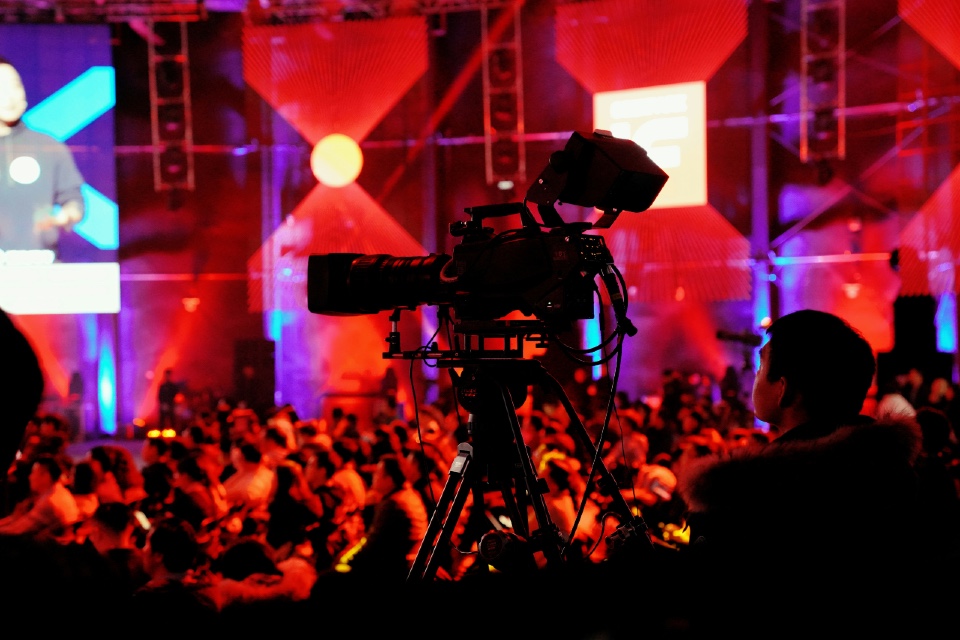
Photo by Jesse Chan on Unsplash